Friday, July 13, 2007

Visual Basic.NET


One of the modules I tutor is called 'Programming with Visual Basic.NET' and as the name implies, it covers all of the basics regarding the VB.NET programming language using the Visual Studio IDE. It's a good course and always attracts a lot of students, mostly due I think to the freely available IDE and the monopoly than Microsoft have on the worlds software applications.
You can use VB.NET to construct windows like applications and get them to interact with MS Office software such as Word and Excel. The language is also used in a slightly different form (Visual Basic for Application) in these MS Office applications themselves, particulalry in Access.

Anyway, due to a colleague's illness I've been marking the assignments for the 'Advanced Programming with Visual Bais.NET' module over the past few weeks which deals with connecting to databases and working with larger, multiform projects. It's taught me a lot more about the language and how powerful it is.

So, if you don't know VB.NET it's an excellent, versatile language to learn that can be used with to enhance any MS Office appliaction and more. Plus, there are plenty of jobs in it!

Ian

Tuesday, June 19, 2007

Book Review: DOM Scripting by Jeremy Keith

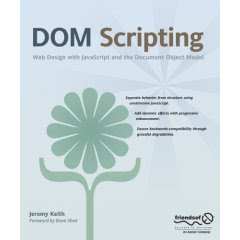
DOM ScriptingI've been looking for a new book for the 'Progrmaming with Javascript' module that I teach for the University of Exeter since the present course material is a little outdated and it's getting more and more difficult to update it every year.

After a great deal of research, the book I've chosen in DOM Scripting by Jeremy Keith. It's very up to date, even though it was released in 2005, and focuses on scripting in the Document Object Model rather than just teaching handy Javascript code like other books I studied.

The author begins by covering the basics of Javascript before launching into the DOM and using examples to build up your knowledge. Then the author describes some 'best practice' concepts and revisits the examples covered earlier to bring them into line. CSS is also covered later in the book and how this can be altered using Javascript and the DOM.

The whole book is only 12 chapters so the student will not be put off by the number of pages as in some textbooks.

Some points I particularly liked about this book are it's well designed examples (so many books use old designs with fonts like comic sans ms - urrrggghhh!), the use of getAttribute and setAttribute when accessing the elements on the doucment instead of the mor direct old fashioned methods and the understanding that Firefox and not Netscape is now the main contender to IE.

Worth a read if you want to further your Javascript skills!

Ian

Friday, May 04, 2007

Java Powerlinks for WebCT

OK, something I've been workig on that is quite interesting is a Java powerlink for Exeter University's WebCT VLE (Virual Learning Environment).

Essentially, a Powerlink is exactly that, a powerful link from the WebCT system to another bespoke system, bypassing the normal user login screens since the login details are taken directly from WebCT. Cool!

It's all written in Java in a particular way to work with the existing WebCT system, which is also written in Java. Since there are not many people at the university that know how to program in Java, I was given the task! The first thing I did was read the instruction manual and log on to the website. There's a whole site devoted to building Java Powerlinks for WebCT since the VLE is used extensively all over the world. On the site, developers from many different countries ask questions and use the resources provided to create their own powerlinks. As you can imagine, this made the job a lot easier!

It's being tested at the moment so I'll keep you updated as to it's progress.

Ian

I'm back

Hi,

After a manic start to the year including getting all of the new Distance Learning courses up and running for the end of January, marking assignments for the Exeter University modules and marking the Open University TMAs (Tutor Marked Assignments) plus an OU tutorial in March, things are finally starting to quiet down.

Hurrah!

I honestly cannot remember such a busy start to the year as this. Still, now that summer seems to have arrived, there should be time to look ahead and plan for the new academic year.

And do some more blogging too...watch this space!

Ian

Tuesday, January 09, 2007

The OU: Milton Keynes

HiOU

I'm due to start tutoring the OU course: 'Putting Java to work' next month and as an induction all of the tutors for this new course were invited up to the OU headquarters in Milton Keynes.

Overall it was a very worthwhile experience. I was able to meet the course team, the staff tutors from Bristol including Barbara and Rita who iterviewed me in September and the other tutors including Anthony Lees who lives in Chudleigh and will be tutoring the Plymouth group. I've got the Bristol group.

So, I'm now looking forward to Saturday's new tutor induction in Taunton and then the start of the course on 3rd February!

Ian

Tuesday, November 07, 2006

Ultimate Zip - Free Archiving Software

A common problem with running online computing courses is how to ask students to submit their work, especially since many archiving programs are not free (like WinZIP and WinRAR!).

So, here's one that is free. It's called Ultimate Zip and it looks and feels just like WinZIP. You'll be asked to pay for it, but you don't have to!


Take it away today.

www.ultimatezip.com

Tuesday, October 24, 2006

Apache Web Server including PHP, Perl & MySQL


Hi All,

Web programming is one of my babies. I love it. It's just so satisfying!

What is not satisfying is trying to install the systems that let you do the web programming and using PHP, Perl and MySQL definitely falls into this category.

However, ApAche Friends have come up with a package that easily installs all you need to start progrmaming in these languages. Try the following link...

www.apachefriends.org/en/index.html

...and have fun!

Ian

Adobe Student Edition Programme


Hi All,

Something that one of my colleagues has brought to my notice is that Adobe, who now own Macromedia, offer there web design software packages to students at hugely discounted rates. As far as we can see these should also be available to part time students so if you are interested take a look at the following line...

www.adobe.com/uk/education/students/studentedition

The eligibility details are here:

www.adobe.com/uk/education/students/studentedition/eligibility.html

Also, another colleague noticed that you can also get good rates at Amazon...

http://www.amazon.co.uk/s/ref=nb_ss_sw_h_/202-8847258-2749429?url=search-alias%3Dsoftware&field-keywords=creative+suite+education&Go.x=0&Go.y=0&Go=Go

I use Dreamweaver and Flash every day and they really are the industrial standard for web design and animation so if you are interested in Web Design, it may be a thought!

Kind regards

Ian

Friday, August 25, 2006

Review: NetBeans Java IDE

NetBeans IDEI recently learned that the Open University uses the NetBeans IDE (Integrated Development Environment) to help teach Java programming. Having used JBuilder and BlueJ up to now and being quite happy with Blue J in particular but seeing room for improvement, I downloaded the latest version and had a look.

It's Free

First things first, NetBeans is FREE! It is also supported by the excellent www.netbeans.org website which has lots of good tutorials for getting started and for doing those all important things like transferring your current Java projects into it's environment (see later)

Download

I downloaded the latest Beta version which comes in at 42MBs so not too large these days. Once the installation process was compete (very straightforward as you'd expect) I got down to the nitty gritty of what it looked like and I was pleasantly surprised. The design is clear and contemporary, unlike BlueJ which is a little dated now, and the important help tutorials are in the main window for all to see. Click on the screenshot below for a larger version...

Click here for a larger version of the NetBeans IDE


Tutorials

After creating a new project and trying some simple code to see how the Build process was handled (see the last screenshot) I turned to the help section and worked my way through the 'Getting Started' tutorial. This showed how to create new projects and then run and troubleshoot them. The instructions were quite clear and the tutorial definitely helped my understanding of how to use the software.

What do I think?

The main advantage that NetBeans showed over BlueJ was the IDE layout with the different windows on the page showing all of the information required. BlueJ requires clicks here and there and opens new windows to display code which can get confusing at times. However, with NetBeans's layout the folder structure is clearly visible at all times as are the code and output windows making it quite a tidy application.

And just one more thing to mention, there's an excellent short cut for typing System.out.println! Just type 'sout'. Cool!

Try it

Try it yourself! Get it by going to http://www.netbeans.org/products/ide/.

Welcome to my Work Blog!

Hi Everyone and welcome to my new work blog, the aim of which is to show you all what I get up to in my working life.

For instance, if I run the rule over a new piece of software, develop a new application, or go to a conference, I'll post a description and my opinion up here.

Feel free to comment on any of these posts, and feedback will be viewed positively.

By for now.

Ian